Initialize a Local Repository
If you are using the etknorr/project-template Docker setup, skip this page. The template already includes a pre-initialized repository structure. Fork the template on GitHub and clone it instead of following the steps below.
Procedure
-
Navigate to the project directory (create it if needed):
cd /Your/File/Pathmkdir Repository-Foldercd Repository-Folder -
Initialize the repository:
git init -b mainnoteThis names the default branch
main. Historicallymasterwas used, butmainis now the convention. -
Create a remote repository on GitHub if one doesn't exist yet.
-
Link the local repository to the remote:
-
Navigate to the remote repository page and copy the repository link.
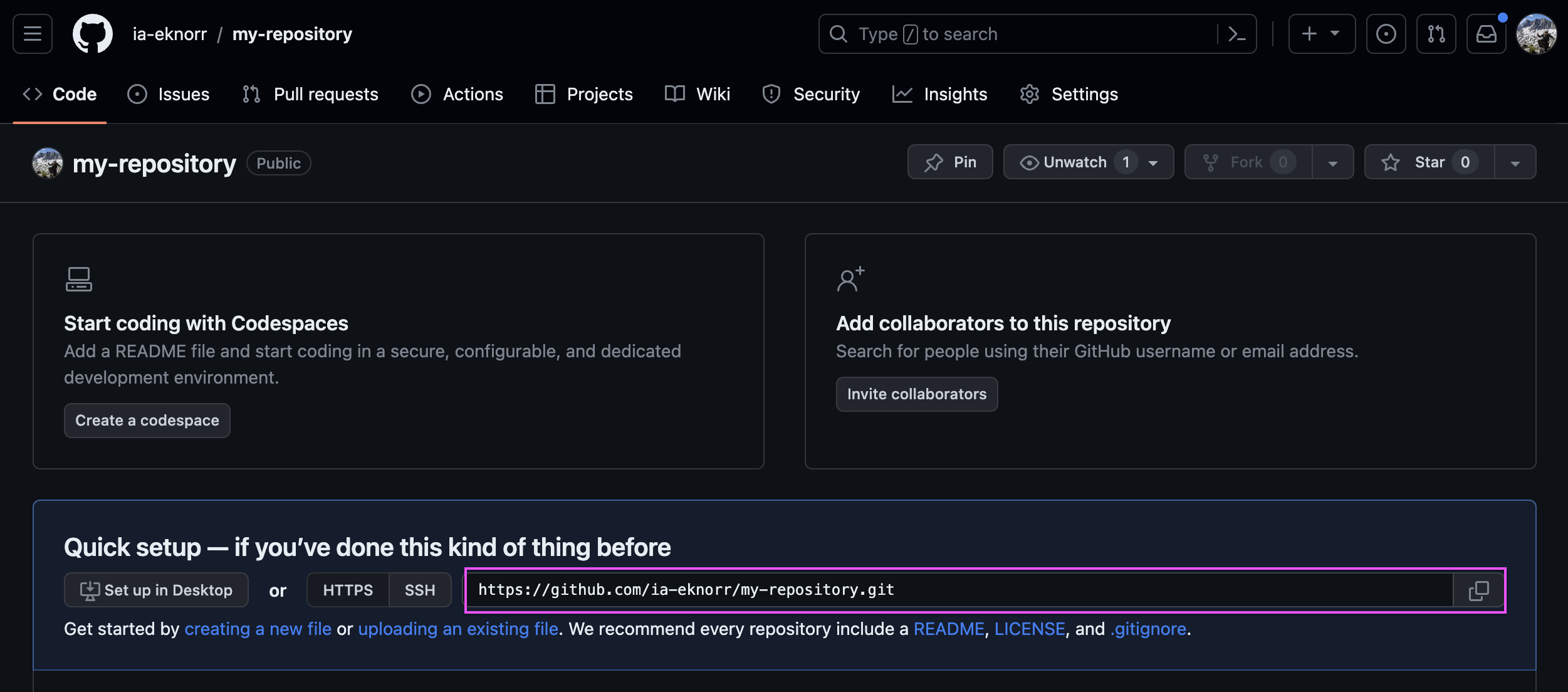
-
Run:
git remote add origin <repository-link>noteThe convention is to name the remote
origin. A local repository can have multiple remotes -upstreamis conventionally used for the original repo when working with forks.
-
The local repository is now linked with the remote and ready to accept changes.
Ignition 8.3 Directory Structure
In 8.1, gateway configuration lived in a SQLite database and could only be backed up
as a .gwbk file - not tracked in Git. In 8.3, all gateway configuration moved to the
filesystem under data/config/, making it directly version-controllable alongside your
projects. See the Ignition 8.3 Version Control Guide
for the full picture.
In Ignition 8.3, project and configuration files are stored on the filesystem (not in a SQLite database), making them directly trackable with Git.
When using Docker with the etknorr/project-template:
| Directory | What it Contains |
|---|---|
services/ignition/projects/ | Ignition projects (tracked) |
services/ignition/config/resources/core/ | Shared gateway config (tracked) |
services/ignition/config/resources/dev/ | Dev environment config (tracked) |
data/ (Docker volume) | Runtime data - not tracked |
See Gateway Resource Collections for a full explanation of the core/ and dev/ directories and how to add more environments.
Recommended .gitignore
Add this to your .gitignore for an Ignition 8.3 project:
# Runtime and database files
**/db/
**/metricsdb/
**/valueStore.idb
**/jar-cache/

# Local config and secrets
**/config/local
**/config/resources/local
**/certificates/
**/keystore/

# Logs and temp files
*.log
*.tmp
*.bak

# Project artifacts
conversion-report.txt
.resources/

# Vision (if not using Vision)
com.inductiveautomation.vision/
For a host install (non-Docker), track the data/projects/ directory directly and apply the same ignore patterns.